Rounding Behavior for Deposits and Scheduled Deposits
Stay supports rounding behavior for deposit collection and scheduled deposits, ensuring consistency with configured currency denominations and payment method rounding rules.
The Show Additional Options hyperlink in the Payment Method & Deposit section of the Book a Reservation screen must be clicked to apply the rounding behavior. When clicked, an accordion is expanded and the following flags are displayed:
-
Non-Refundable (moved from existing location)
-
Rounding (new flag)
The hyperlink will be automatically modified as Hide Additional Options. When clicked, the accordion collapses.
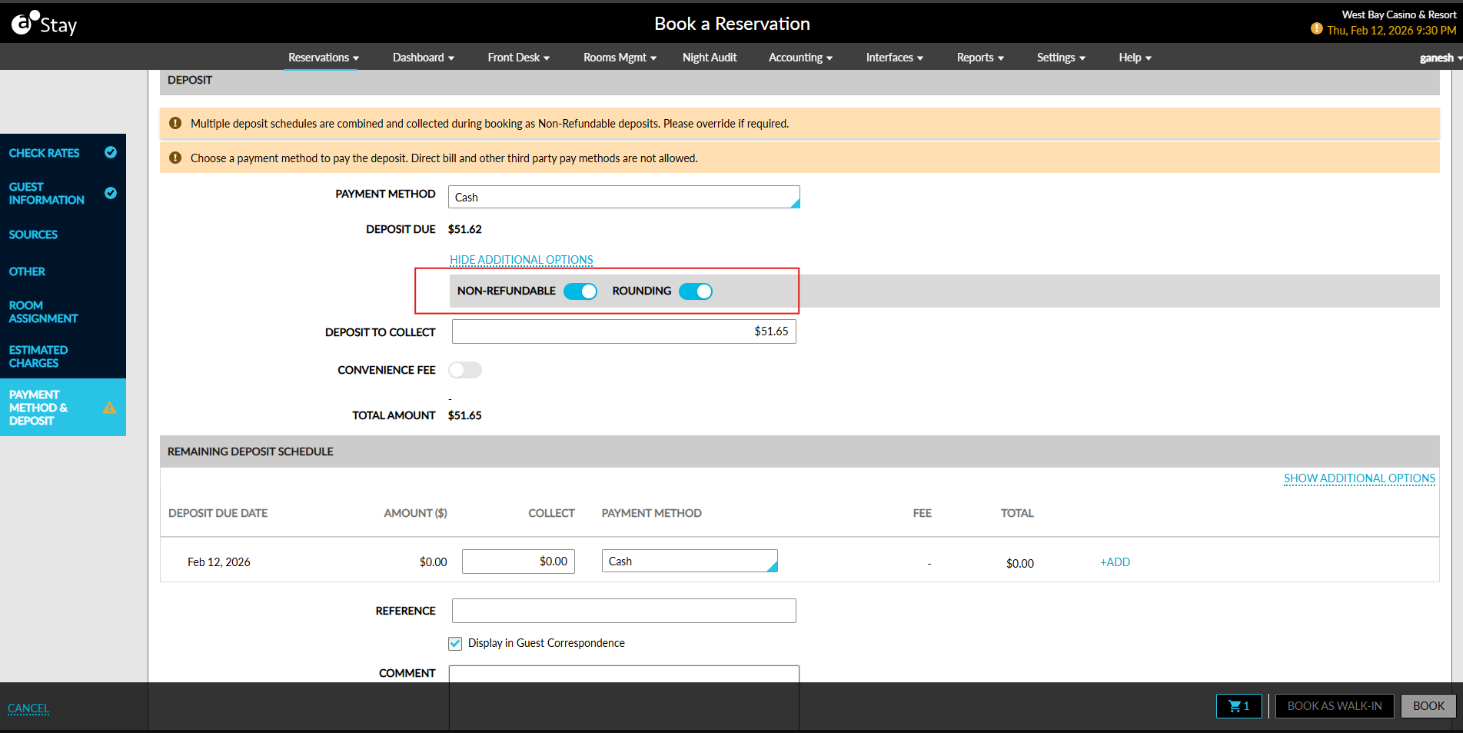
Required Rounding
By default, the amount displayed in the Deposit to Collect field is automatically rounded. When a user manually enters an amount that does not match the smallest configured denomination, an appropriate message will be displayed.
Based on the permissions defined in the Rounding Setting section, authorized users can perform the following actions:
-
Disable the Rounding flag
-
Process the exact amount
Unauthorized users must follow the authorization flow to process the exact amount.
Optional Rounding
Based on the Rounding Rule = Optional setting, the amount displayed in the Deposit to Collect field follows the configured rounding behavior.
Scheduled Deposit (Collect Deposit) Enhancements
Based on the selected rounding rule, the amount in the Collect Deposit field in the Estimated Charges section of reservations is automatically rounded. When Rounding = Required, the Collect column displays the rounded amount automatically.
The Show Additional Options in the Collect Deposit pop-up screen must be clicked to apply the rounding behaviour.
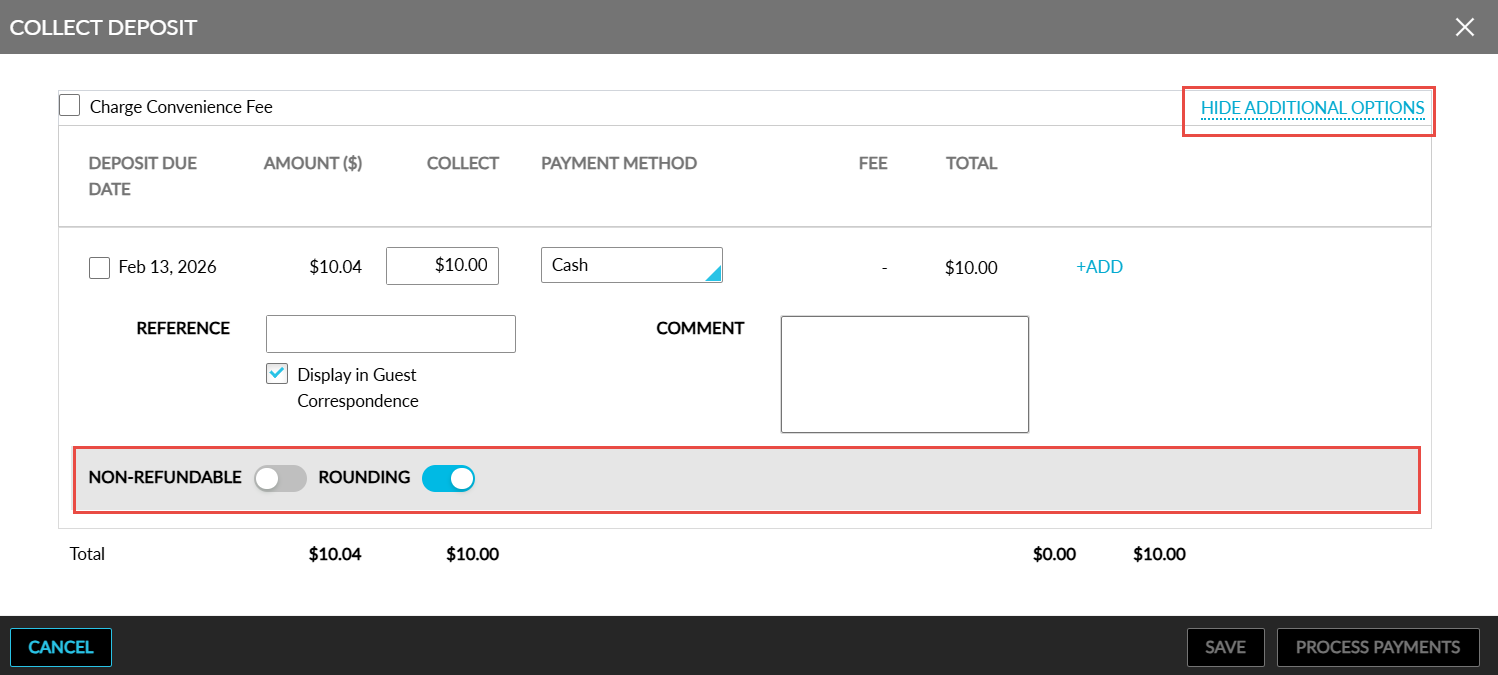
When clicked, an accordion is expanded and the following flags are displayed:
-
Non-Refundable
-
Rounding
When a manually entered amount does not match the smallest configured denomination, the following message will be displayed: Invalid amount due to rounding rule. When the selected payment method does not have rounding enabled, the Rounding flag will not be displayed. When multiple payment methods are used, where one method has rounding enabled and the other does not, the Rounding flag will be displayed and applied only to the payment method with rounding enabled.